
 Saludos amigos, VMware ha anunciado VMware vCenter Server 6.5 Update1b, los cambios no son muy grandes en esta ocasión, pero si es cierto que se incluyen algunas mejoras de seguridad en PhotonOS que son importantes para todos aquellos usando VCSA.
Pasos para actualizar VCSA 6.5 U1 a VCSA 6.5 U1b usando VAMI – en vídeo
Problemas resueltos según Release Notes
Os dejo aquí los problemas resueltos en esta Release:
Security Issues
- Update to Apache StrutsApache Struts is updated to version 2.5.13.
- This release fixes Photon OS security vulnerabilities. For more information, see VMware vCenter Server Appliance Photon OS Security Patches.
Virtual Machine Management Issues
- Possible timeout during full clone or cold migration between vSphere on-premises and VMware Cloud on AWSIf you attempt a full clone or cold migration between VMware vSphere on-premises and VMware Cloud on AWS (VMC), the operation might time out, because a network element in the path between the on-premises vCenter Server and the VMC vCenter Server instance, usually a firewall, might determine a vCenter-to-vCenter connection is no longer valid and stop transferring packets for this connection. You can see the issue when attempting full clone or cold migration to VMC as the destination either via the vSphere UI or through the vSphere VIM API.This issue is resolved in this release.
- VMware vCenter Server Appliance configured with VMware vCenter Server High Availability might fail after an upgrade to 6.5 Update 1A vCenter Server Appliance configured with vCenter HA might fail after an upgrade to 6.5 Update 1, because the hostname of the appliance might change to the default
localhost.localdomain.This issue is resolved in this release. - vCenter Server Content Library service might fail to start after an upgradevCenter Server Content Library service might fail to start after an upgrade due to a firstboot failure.This issue is resolved in this release.
Pasos para actualizar VCSA 6.5 U1 a VCSA 6.5 U1b usando VAMI – en imágenes
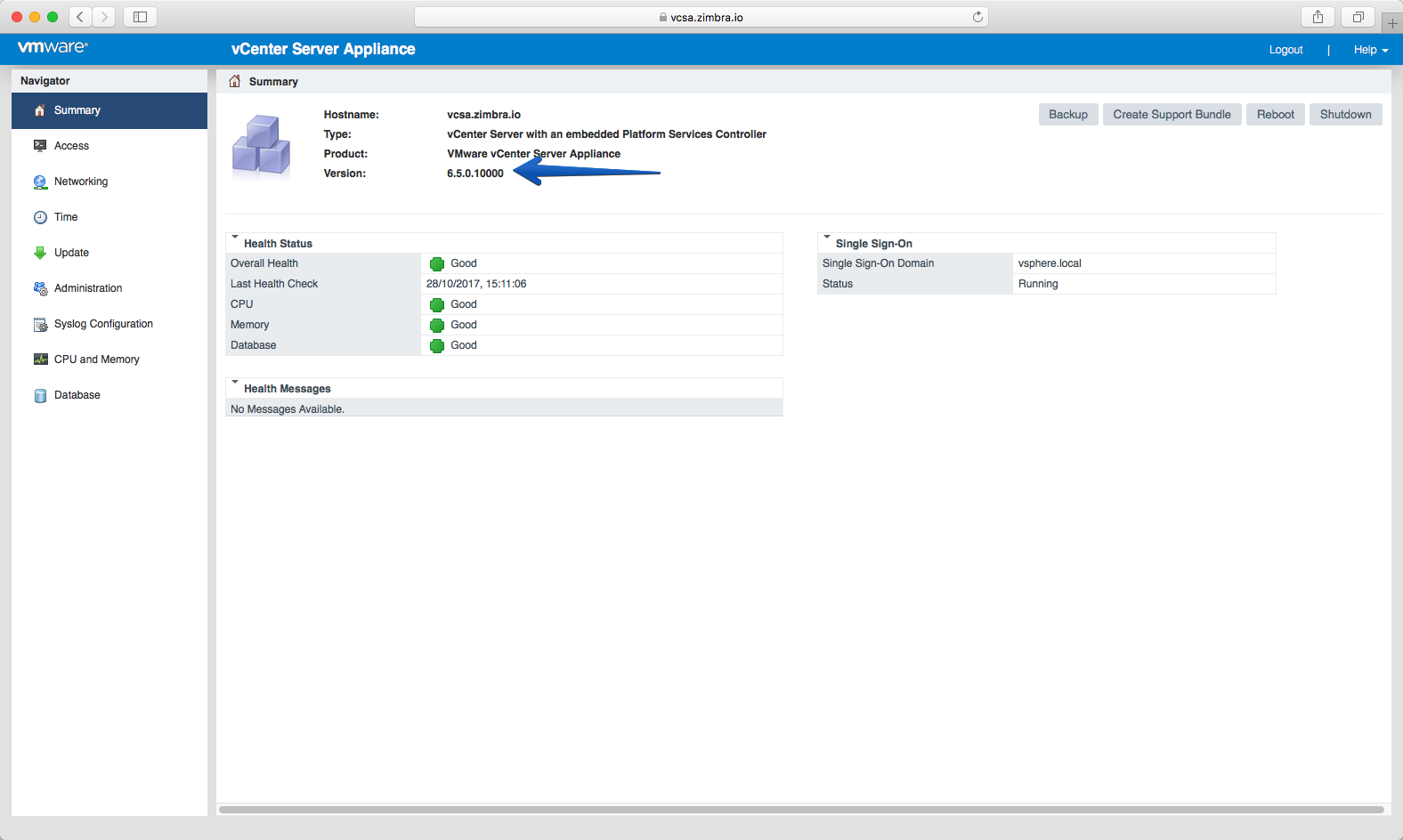
Nos iremos hasta nuestra consola de VCSA por el puerto 5480, y una vez introducimos las credenciales, veremos la ventana de Summary, en ella si nos fijamos tenemos la versión, en mi caso la 6.5. Update 1:
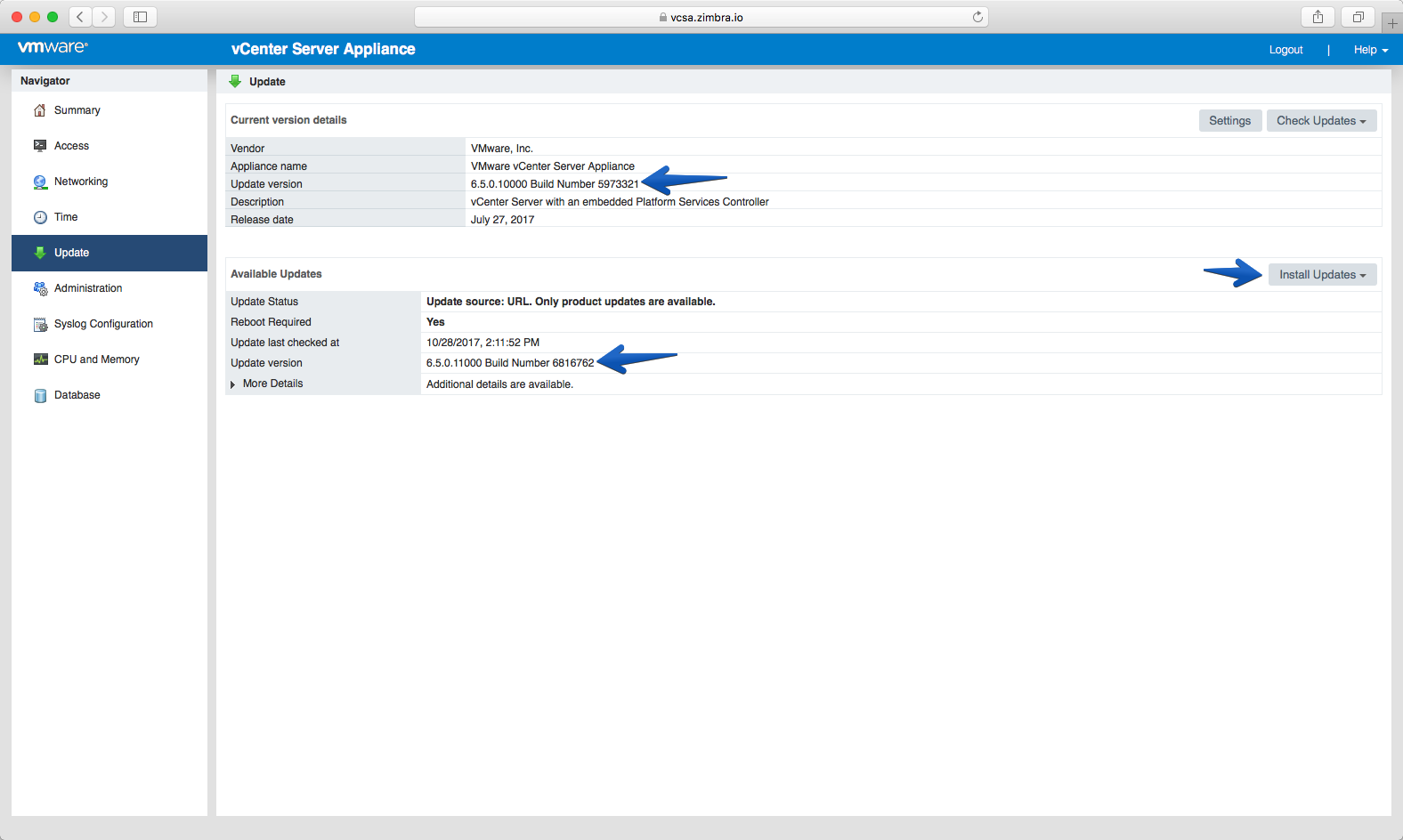
 Si bajamos hasta la pestaña de Updates, podemos hacer click en Check Updates desde Repository donde nos aparecerá la nueva actualización, con hacer click en Install Updates será suficiente:
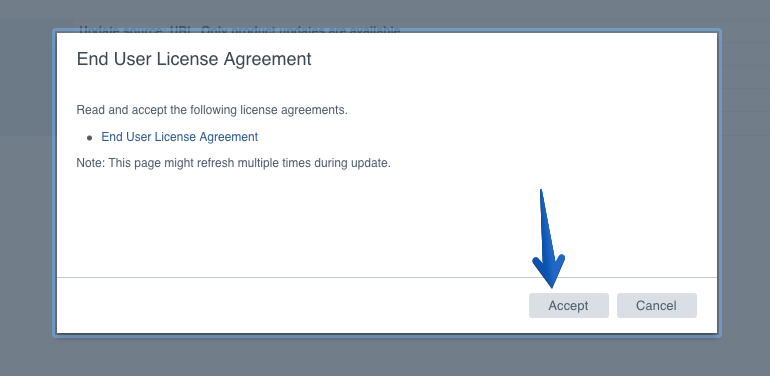
 Aceptaremos la EULA:
 El proceso comenzará y podremos ver los detalles si hacemos click en Show Details:
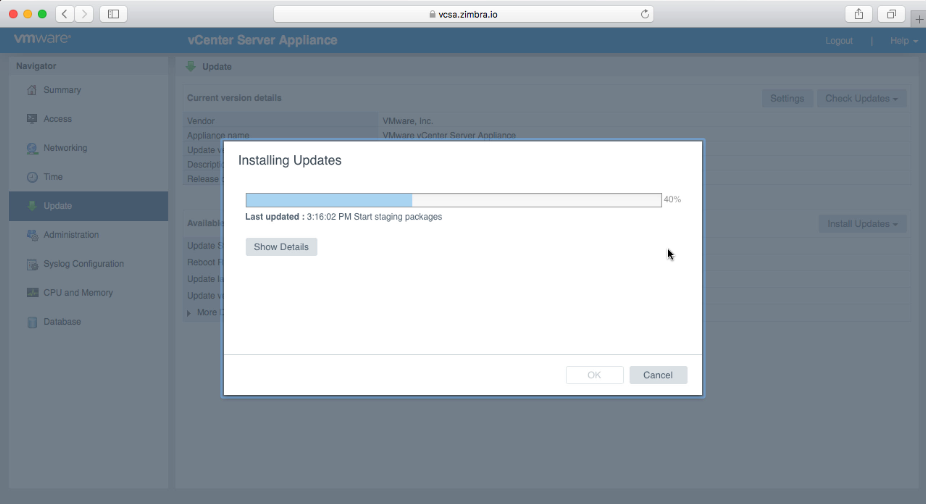
Una vez termina el proceso, tendremos que reiniciar el VCSA: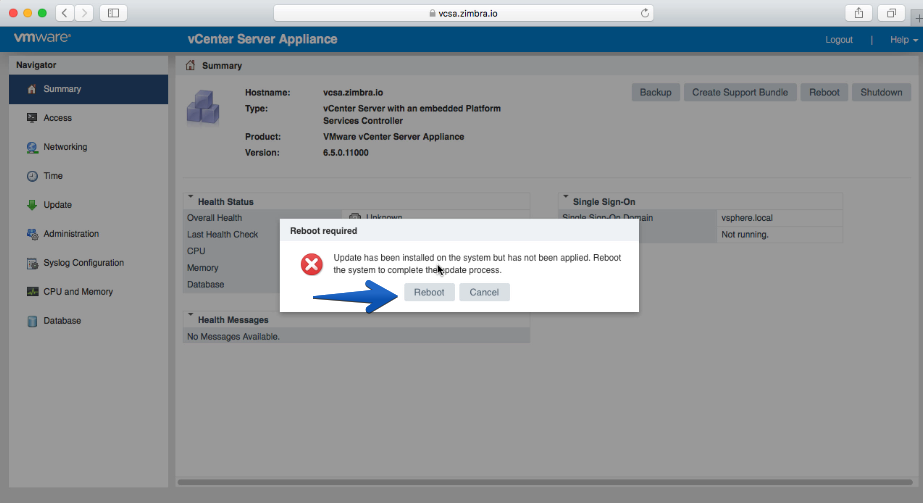
Nos aparecerá la ventana de refresco automáticamente: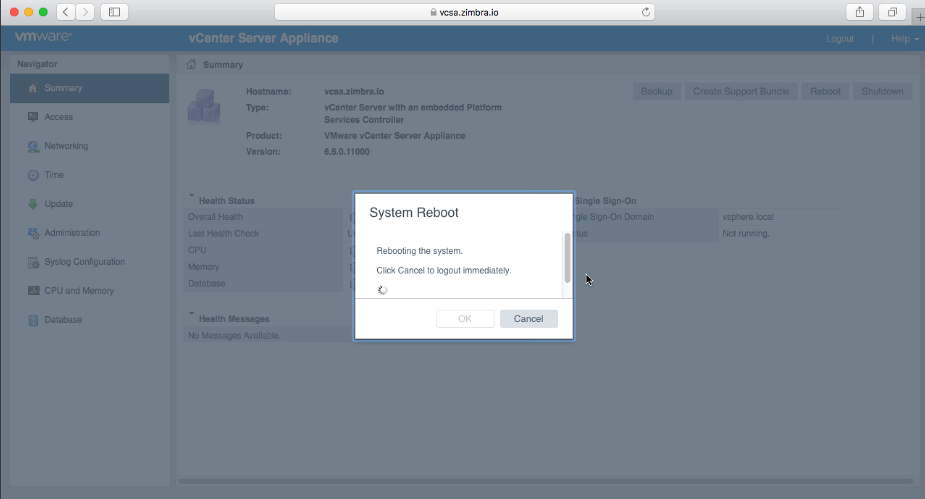
Y al hacer login de nuevo podremos ver que ya tenemos correcamente instalado la versión 6.5.0.11000 que corresponde con VCSA6.5 U1b.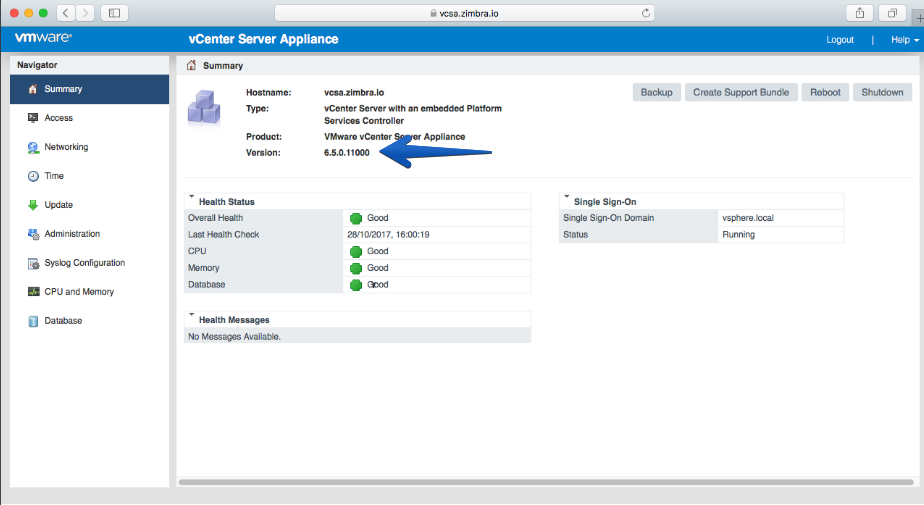
Más información sobre el parche
En el siguiente link podréis leer más información sobre el parche:
- https://kb.vmware.com/s/article/2151741?language=en_US
Leave a Reply