• Skip to main content
  • Skip to secondary menu
  • Skip to primary sidebar
El Blog de Jorge de la Cruz

El Blog de Jorge de la Cruz

El Blog de Jorge de la Cruz - Todas las novedades sobre VMware, Veeam, InfluxData, Grafana, Zimbra, etc.

  • Home
  • VMware
    • VMworld
    • VMware vSphere 6.7
    • VMware vSphere 6.5
  • Veeam
    • Resumen Contenido 2021
    • Veeam v11
      • Continuous Data Protection (CDP
      • Ransomware Protection
      • Archive Tier
      • Mejoras en Instant Recovery
      • Veeam Agent for Mac
      • Veeam Backup for AHV v2.1
    • Veeam Backup for Microsoft Office 365
      • 1 – Razones para proteger nuestra información en Microsoft Office 365
      • 2 – Componentes lógicos de Veeam Backup for Microsoft Office 365 2.0
      • 3 – Instalación paso a paso de Veeam Backup for Microsoft Office 365 v2.0
      • 4 – Configuración inicial de Veeam Backup for Microsoft Office 365 v2.0
      • 5 – Creando trabajos de copia en Veeam Backup for Microsoft Office 365 v2.0
      • 6 – Restaurando elementos en Veeam Backup for Microsoft Office 365 v2.0
    • Veeam Backup for AWS
      • Veeam: Veeam anuncia Veeam Backup for AWS Free Edition
      • Veeam: Cómo Desplegar Veeam Backup for AWS – paso a paso
      • Veeam: Vistazo en profundidad al nuevo Veeam Backup for AWS – Creación de Políticas de Backup y Restauración
      • Veeam: Cómo conectar nuestro Veeam Backup & Replication a Veeam Backup for AWS
    • Veaam ONE
      • En busca del Dashboard perfecto: Veeam ONE – Parte I – Introducción a Veeam ONE
      • En busca del Dashboard perfecto: Veeam ONE – Parte II – Descarga e Instalación de Veeam ONE
      • En busca del Dashboard perfecto: Veeam ONE – Parte III – Añadir una Infraestructura de VMware vSphere a Veeam ONE
      • En busca del Dashboard perfecto: Veeam ONE – Parte IV – Añadir una Infraestructura de Veeam Backup and Replication a Veeam ONE
      • En busca del Dashboard perfecto: Veeam ONE – Parte V – Realizando troubleshooting de vSphere usando Veeam ONE Monitor
      • En busca del Dashboard perfecto: Veeam ONE – Parte VI – Realizando troubleshooting de Veeam Backup and Replication usando Veeam ONE Monitor
      • En busca del Dashboard perfecto: Veeam ONE – Parte VII – Vistazo profundo a los Dashboards en Veeam ONE Reporter
      • En busca del Dashboard perfecto: Veeam ONE – Parte VIII – Vistazo profundo a Reportes en Veeam ONE Reporter
      • En busca del Dashboard perfecto: Veeam ONE – Parte IX – Chargeback para crear reportes de coste de nuestra Infraestructura
    • Veeam Availability Console
      • 1 – Teoría e información útil sobre el producto
      • 2 – Instalación de Veeam Availability Console
      • 3 – Configuración y conexión con VBR Server
      • 4 – Administración centralizada de Veeam Backup Agents
      • 5 – Backup de Agentes a diferentes destinos, SMB, Repositorio Veeam o Cloud Connect
      • 6 – Reportes de Backup de Veeam Agent y Veeam Backup and Replication
      • 7 – Manejando la Facturación de Veeam Agents, Backup and Replication y Cloud Connect
    • Backup y restore de cargas de trabajo a Microsoft Azure
      • 1 – Introducción
      • 2 – Conectividad entre nuestro Datacenter y Microsoft Azure
      • 3 – Desplegar Veeam Backup and Replication en Microsoft Azure
      • 4 – Configuración en nuestro Datacenter para backup a Microsoft Azure
      • 5 – Restaurando a Microsoft Azure, desde Microsoft Azure
      • 6 – Migrar cargas de trabajo desde Microsoft Azure hacía nuestro Datacenter
    • Veeam v9.5 Update 4
      • Veeam Cloud Tier
        • Cómo controlar el ancho de banda en Veeam Cloud Tier
      • Secure Restore y Staged Restore
      • Mejoras en Veeam Agent Management
      • Veeam Community Edition
      • Actualizar Veeam Enterprise Manager y Veeam Backup and Replication a la última versión
      • VeeamONE con Intelligent Diagnostics, Remediation actions, Business View 2.0 y Application Monitoring
    • VeeamON 2022
      • Novedades en Veeam ONE v12
    • VeeamON 2021
      • VBO v6 – Self-Service y Backup Copy Glacier-Azure Archive
    • VeeamON 2020
      • Veeam Backup for AWS v2.0
    • VeeamON 2019
      • Veeam Availability Orchestrator v2.0 – ¡novedades!
    • VeeamON 2017
      • Sesiones recomendadas
      • Día I – Veeam Availability Suite v10 – ¡novedades!
      • Día II – Veeam Azure PN (Powered Network), Scale-out Archive Tier y mucho más
    • VeeamON 2015
      • VeeamON 2015 volverá a Las Vegas en el único Evento sobre Disponibilidad en el Data Center
      • Completo resumen, keynotes e imágenes
      • vBrownBag – Jorge de la Cruz – Stop sending postcards to your customers
  • Zextras
  • PRTG
  • Office 365
    • Microsoft – Añadiendo nuestro dominio a Office 365, configuración de DNS y migración de actual Mailbox
    • Veeam: Usando Microsoft Office 365 para nuestras notificaciones por correo electrónico
    • PRTG: Usando Microsoft Office 365 para nuestras notificaciones por correo electrónico
  • Zimbra
    • Instalación
      • Instalando Zimbra 8.7.6 sobre Ubuntu 14.04 LTS – ¡con Chat y Drive!
      • Amazon Lightsail para instalar Zimbra Collaboration 8.7.1, Parte II
      • Amazon Lightsail para instalar Zimbra Collaboration 8.7.1, Parte I
      • Instalando Zimbra 8.7.x con un solo comando, incluye Chat y Drive
  • Linux
    • InfluxDB, Grafana y Telegraf
      • 1 – Instalación y configuración de los components
      • 2 – Instalar agente en Linux
      • 3 – Integración con PRTG
      • 4 – Instalar agente Telegraf en Nodos remotos Windows
      • 5 – Activar inputs específicos, Red, MySQL/MariaDB, Nginx
      • 6 – Monitorizando Veeam
    • Ansible y Zabbix
      • 1 – Inicio
      • 2 – Instalación de Ansible e integración con Active Directory
      • 3 – Configuración de AutoDiscovery en Zabbix
      • 4 – Instalación del agente de Zabbix en Windows
      • 5 – Instalación del agente de Zabbix en Linux y Auto Remove en Zabbix
    • Jenkins
      • 1 – Inicio
      • 2 – Instalación de Jenkins en Ubuntu
      • 3 – Instalando nuestro primer plugin
      • 4 – Sincronización NTP de Linux
      • 5 – Añadir un Slave Windows a Jenkins
      • 6 – Ejecutar tareas en Linux
      • 7 – Ejecutar tareas en Windows
    • Kubernetes
      • 1 – Introducción a Kubernetes
      • 2 – Instalación paso a paso
      • 3 – RollingUpdate con Kubernetes
      • 4 – Dashboard
      • 5 – Volúmenes NFS
      • 6 – Registry
      • 7 – Traefik
      • 8 – Systemd con Traefik y Proxy de Kubernetes
      • 9 – Heapster Influx Grafana
      • 10 – Labels de Kubernetes
      • 11 – API: Swagger
      • 12 – API: Creando nuestro primer POD
  • Contribuidores
    • Acerca de Jorge
    • Acerca de Oscar Mas
      • Clúster SQL
        • 1 – Introducción
        • 2 – Preparación de los equipos virtuales
        • 3 – Instalación del Clúster de Microsoft
        • 4 – Instalación de SQL Server para Clúster de Microsoft
        • 5 – Configuración de nuestro Clúster de SQL
        • 6 – Monitorización de Clúster de SQL con Zabbix
        • 7 – Actualizando clúster de SQL

Pi-Hole: Cómo actualizar a la última versión – Nota rápida

18 January, 2021 - Escrito en: opensource

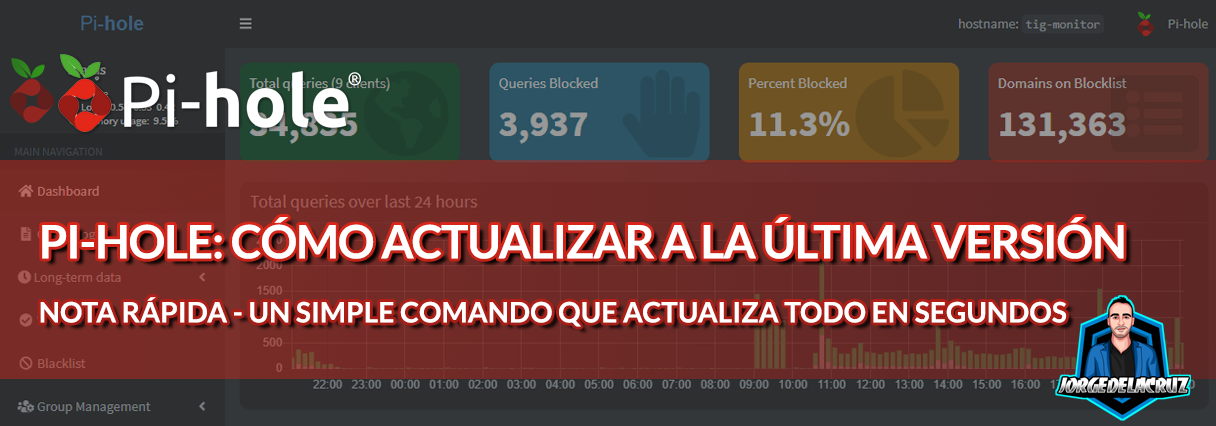
Saludos amigos, os conté hace un tiempo cómo monitorizar Pi-Hole con nuestro típico TIG Stack (Telegraf, InfluxDB, y Grafana). Pero nunca os he contado cómo actualizarlo a la última versión.
Pi-Hole suele sacar actualizaciones cada mes más o menos, si nos vamos a nuestra hermosa interfaz podremos ver que tenemos una nueva actualización abajo del todo:
Para actualizar, que es realmente sencillo, nos iremos por SSH a nuestro servidor de Pi-Hole y lanzaremos el siguiente comando:

pihole -up 1

Sencillo, ¿verdad? Otra razón más para amar este fantástico proyecto, el output del comando tiene que ser algo similar a esto, que en consola tiene hasta colores y demás, muy atractivo:

  [i] Checking for updates...
  [i] Pi-hole Core:     update available
  [i] Web Interface:    update available
  [i] FTL:              update available

  [i] Pi-hole core files out of date, updating local repo.
  [✓] Check for existing repository in /etc/.pihole
  [i] Update repo in /etc/.pihole...HEAD is now at cbc3fbd Merge pull request #3989 from pi-hole/release/v5.2.3
  [✓] Update repo in /etc/.pihole

  [i] If you had made any changes in '/etc/.pihole/', they have been stashed using 'git stash'

  [i] Pi-hole Web Admin files out of date, updating local repo.
  [✓] Check for existing repository in /var/www/html/admin
  [i] Update repo in /var/www/html/admin...HEAD is now at 3ff33a3 Merge pull request #1704 from pi-hole/release/v5.3
  [✓] Update repo in /var/www/html/admin

  [i] If you had made any changes in '/var/www/html/admin/', they have been stashed using 'git stash'

  [i] FTL out of date, it will be updated by the installer.

  [✓] Root user check

        .;;,.
        .ccccc:,.
         :cccclll:.      ..,,
          :ccccclll.   ;ooodc
           'ccll:;ll .oooodc
             .;cll.;;looo:.
                 .. ','.
                .',,,,,,'.
              .',,,,,,,,,,.
            .',,,,,,,,,,,,....
          ....''',,,,,,,'.......
        .........  ....  .........
        ..........      ..........
        ..........      ..........
        .........  ....  .........
          ........,,,,,,,'......
            ....',,,,,,,,,,,,.
               .',,,,,,,,,'.
                .',,,,,,'.
                  ..'''.

  [✓] Update local cache of available packages
  [i] Existing PHP installation detected : PHP version 7.4.3
  [i] Performing unattended setup, no whiptail dialogs will be displayed

  [✓] Checking apt-get for upgraded packages... 19 updates available
  [i] It is recommended to update your OS after installing the Pi-hole!

  [i] Installer Dependency checks...
  [✓] Checking for dhcpcd5
  [✓] Checking for git
  [✓] Checking for iproute2
  [✓] Checking for whiptail
  [✓] Checking for dnsutils

  [✓] Supported OS detected
  [i] SELinux not detected
  [i] Performing reconfiguration, skipping download of local repos
  [✓] Resetting repository within /etc/.pihole...
  [✓] Resetting repository within /var/www/html/admin...
  [i] Main Dependency checks...
  [✓] Checking for cron
  [✓] Checking for curl
  [✓] Checking for iputils-ping
  [✓] Checking for lsof
  [✓] Checking for netcat
  [✓] Checking for psmisc
  [✓] Checking for sudo
  [✓] Checking for unzip
  [✓] Checking for wget
  [✓] Checking for idn2
  [✓] Checking for sqlite3
  [✓] Checking for libcap2-bin
  [✓] Checking for dns-root-data
  [✓] Checking for libcap2
  [✓] Checking for lighttpd
  [✓] Checking for php7.4-common
  [✓] Checking for php7.4-cgi
  [✓] Checking for php7.4-sqlite3
  [✓] Checking for php7.4-xml
  [✓] Checking for php7.4-json
  [✓] Checking for php7.4-intl

  [✓] Enabling lighttpd service to start on reboot...
  [✓] Checking for user 'pihole'

  [i] FTL Checks...

  [✓] Detected x86_64 processor
  [i] Checking for existing FTL binary...
  [✓] Downloading and Installing FTL
  [✓] Installing scripts from /etc/.pihole

  [i] Installing configs from /etc/.pihole...
  [i] Existing dnsmasq.conf found... it is not a Pi-hole file, leaving alone!
  [✓] Copying 01-pihole.conf to /etc/dnsmasq.d/01-pihole.conf

  [i] Installing blocking page...
  [✓] Creating directory for blocking page, and copying files
  [i] Backing up index.lighttpd.html
      No default index.lighttpd.html file found... not backing up

  [✓] Installing sudoer file

  [✓] Installing latest Cron script

  [✓] Installing latest logrotate script
  [i] Backing up /etc/dnsmasq.conf to /etc/dnsmasq.conf.old
  [✓] man pages installed and database updated
  [i] Testing if systemd-resolved is enabled
  [i] Systemd-resolved does not need to be restarted
  [✓] Restarting lighttpd service...
  [✓] Enabling lighttpd service to start on reboot...
  [i] Restarting services...
  [✓] Enabling pihole-FTL service to start on reboot...
  [✓] Restarting pihole-FTL service...
  [✓] Deleting existing list cache
  [i] Neutrino emissions detected...
  [✓] Pulling blocklist source list into range

  [✓] Preparing new gravity database
  [i] Using libz compression

  [i] Target: https://raw.githubusercontent.com/StevenBlack/hosts/master/hosts
  [✓] Status: Retrieval successful
  [i] Received 58568 domains

  [i] Target: https://mirror1.malwaredomains.com/files/justdomains
  [✗] Status: Not found
  [✗] List download failed: no cached list available

  [i] Target: https://www.sunshine.it/blacklist.txt
  [✓] Status: Retrieval successful
  [i] Received 82108 domains

  [✓] Storing downloaded domains in new gravity database
  [✓] Building tree
  [✓] Swapping databases
  [i] Number of gravity domains: 140676 (131363 unique domains)
  [i] Number of exact blacklisted domains: 6
  [i] Number of regex blacklist filters: 0
  [i] Number of exact whitelisted domains: 16
  [i] Number of regex whitelist filters: 1
  [✓] Flushing DNS cache
  [✓] Cleaning up stray matter

  [✓] DNS service is listening
     [✓] UDP (IPv4)
     [✓] TCP (IPv4)
     [✓] UDP (IPv6)
     [✓] TCP (IPv6)

  [✓] Pi-hole blocking is enabled

  [i] The install log is located at: /etc/pihole/install.log
Update Complete! 

  Current Pi-hole version is v5.2.3.
  Current AdminLTE version is v5.3.
  Current FTL version is v5.4.

Eso es todo amigos, una entrada sencilla, rápida, pero que seguro que os salva de googlear y perder tiempo buscándolo.

Una vez actualizamos, si nos vamos a nuestra interfaz web ya podremos ver la nueva versión:

Filed Under: opensource Tagged With: pihole update, pihole upgrade

Reader Interactions

Comments

  1. Enrique says

    12 June, 2021 at 21:26

    Hola, en docker no va este comando. Sabrías cómo se hace? Gracias

    Reply
    • Jorge de la Cruz says

      12 June, 2021 at 23:26

      Los contenedores están pensados para ser creados y destruidos de manera rápida, con lo que lo mejor sera destruir y crear uno nuevo con nueva versión. Aquí hay un workaround – https://www.reddit.com/r/pihole/comments/bqk5im/how_to_update_pihole_on_docker/

      Un saludo

      Reply

Leave a Reply Cancel reply

Your email address will not be published. Required fields are marked *

This site uses Akismet to reduce spam. Learn how your comment data is processed.

Primary Sidebar

  • Email
  • GitHub
  • LinkedIn
  • RSS
  • Twitter
  • YouTube

Gold Partners

Silver Partners

Libros Gratuitos

Cloud por vExperts
VMware por vExperts

VMware vExpert

Puesto 16 en Top vBlog

Calendario de Posts

January 2021
M T W T F S S
 123
45678910
11121314151617
18192021222324
25262728293031
« Dec   Feb »

Disclaimer

Todas las opiniones expresadas en este sitio son las mías propias y no representan las opiniones de ninguna compañía con la que haya trabajado, esté trabajando o vaya a estar trabajando.

Copyright © 2026 · El Blog de Jorge de la Cruz