
Saludos, el 2015 está llegando a su ocaso, y antes de que se vaya, o para los primeros días del año, os quiero dejar con dos cursos de VMware que podemos realizar de manera gratuita, desde la Web y sin prisa, también y solamente dura hoy, 21 Diciembre, podéis descargar un eBook desde packtpub, sin coste.
Curso I – Architecting Desktop Virtualization Solutions Fundamentals
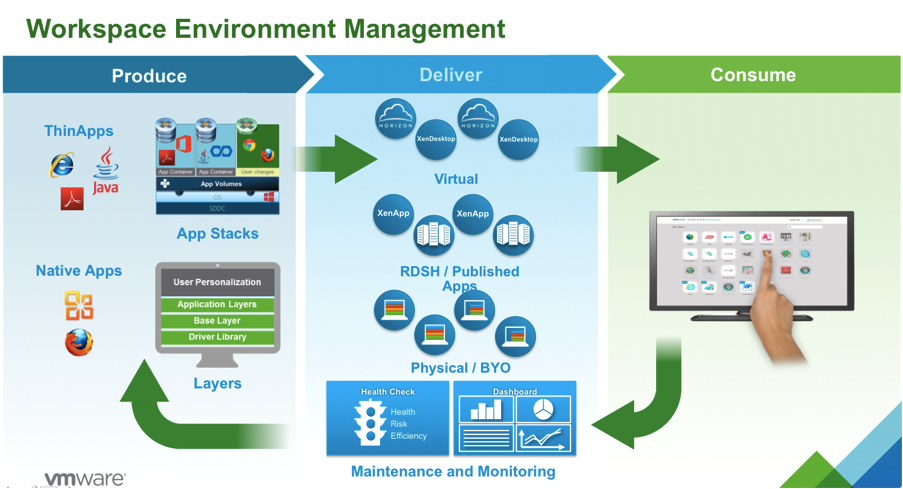
| Objectives: | At the end of this course, you should be able to:
– Describe the product architecture for VMware desktop virtualization solutions. |
|
| Outline: | 1. Course Introduction – Course Overview – Navigation – Course Objectives2. VMware Horizon View – Module Objectives – Horizon View Architecture – Design Considerations and Best Practices – Planning the Implementation of Horizon View – Horizon View Integration with Other Products – Use Cases for Horizon View3. VMware Mirage – Module Objectives – Mirage Overview – Mirage Architecture – Design Considerations and Best Practices – Mirage Integration with Other Products – Use Cases for Mirage 4. VMware User Environment Manager 5. VMware App Volumes |
|
[button url=”https://mylearn.vmware.com/mgrreg/courses.cfm?ui=www_edu&a=one&id_subject=70532&rcode=jorgedelacruz.es” style=”blue”]REGISTRARSE AHORA[/button]
Curso II – VMware Site Recovery Manager [V6.1] Fundamentals
![VMware Site Recovery Manager [V6.1] Fundamentals](https://www.jorgedelacruz.es/wp-content/uploads/2015/12/VMware-Site-Recovery-Manager-V6.1-Fundamentals.png)
| Objectives: | There are two lessons in this course.
At the end of Lesson One you will be able to: At the end of Lesson Two you will be able to: |
|
| Outline: | Lesson 1: An introduction to the challenges of traditional Disaster Recovery (DR), the capabilities of Site Recovery Manager, and its business use cases At the end of this lesson, you will be able to: • Describe the causes and impacts of a disaster on an organization • Describe the challenges and process of traditional methods of Disaster Recovery • Explain the benefits and process of Disaster Recovery (DR) with virtual machines and Site Recovery Manager 6.1 • List key use cases and the benefits of Site Recovery Manager • List the failover sites possible with Site Recovery Manager, as in where can the DR site be locatedLesson 2: An introduction to terminology, core components, and high level implementation requirements of Site Recovery Manager 6.1. |
|
At the end of this lesson, you will be able to:
• List the key components of a Site Recovery Manager solution
• Compare and contrast the replication mechanisms available with Site Recovery Manager
• Describe how to achieve the desired outcome (test or failover) for each use case using Site Recovery Manager
• Explain the possible dependencies between virtual machines during a failover
• Describe the key new features in Site Recovery Manager 6.1
• List the available packaging options for Site Recovery Manager
[button url=”http://mylearn.vmware.com/mgrreg/courses.cfm?ui=www_edu&a=one&id_subject=70108&rcode=jorgedelacruz.es” style=”blue”]REGISTRARSE AHORA[/button]
Libro gratuito, solamente hoy – VMware Horizon View 6 Desktop Virtualization Cookbook
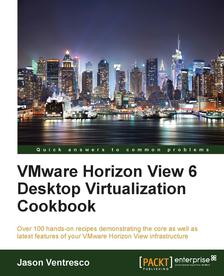 Over 100 hands-on recipes demonstrating the core as well as latest features of your VMware Horizon View infrastructure
- Gain a detailed insight into the configuration and administration of core features of VMware Horizon View
- Learn how to deploy the newest features of the VMware Horizon View 6.0 such as Cloud Pod Architecture, VSAN integration, and more
- Benefit from practical examples that provide a greater level of detail than the VMware Horizon View documentation
[button url=”https://www.packtpub.com/packt/offers/free-learning” style=”green”]DESCARGAR AHORA[/button]
Leave a Reply