
Saludos amigos, os he contado durante todos estos meses muchas novedades sobre el ya universal ESXi Host Embedded Client, la semana pasada VMware lanzaba la versión 1.7.0, que rebosa una calidad soberbia, y que en este nuevo update solamente encontramos bug fixes.
Actualización automática de VMware Host Client
Al hacer login en nuestro VMware Host Client, VMware nos mostrará un popup donde nos permite la opción de actualizar, así cómo mostrarnos
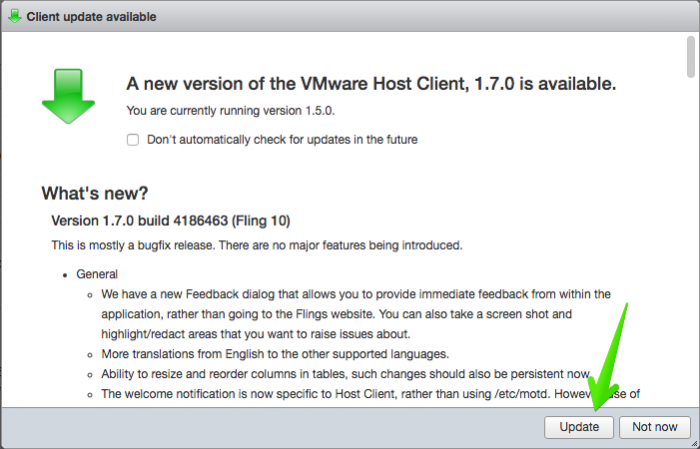
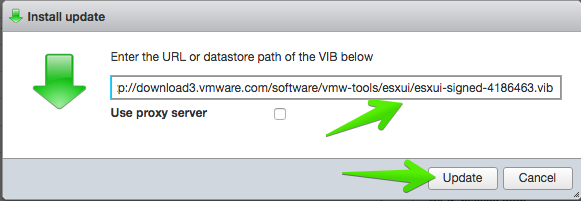
Nos aparecerá de manera automática el popup de instalar una actualización o VIB usando el web client, que ya os mostré hace tiempo.
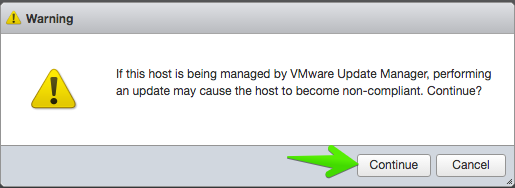
Nos mostrará la típica advertencia sobre si estamos usando VMware Update Manager, podemos convertir el Host en non-compliant.
Comenzará la tarea, y podremos ver el progreso de actualización del VMware Host Client, desde el propio VMware Host Client, ¡ inception !

Una vez terminada la actualización, haremos un signout y sign-in de nuevo, y ya podremos ver que tenemos la última versión del Fling.
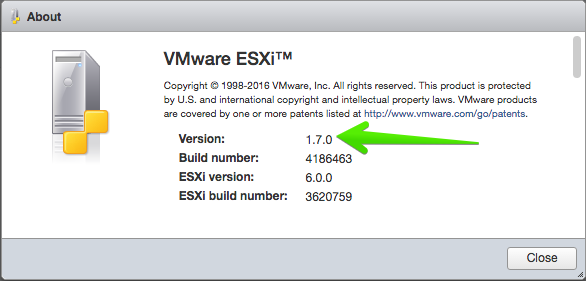
Cambios en la versión 1.7.0 build 4186463 (Fling 10)
La lista son prácticamente bug fixes, lo que significa que no veremos nuevas funcionalidades, pero sí muchas correcciones.
- General
- We have a new Feedback dialog that allows you to provide immediate feedback from within the application, rather than going to the Flings website. You can also take a screen shot and highlight/redact areas that you want to raise issues about.
- More translations from English to the other supported languages.
- Ability to resize and reorder columns in tables, such changes should also be persistent now.
- The welcome notification is now specific to Host Client, rather than using /etc/motd. However, use of this will require that you restart the management agents on the host after installing the VIB, or restarting the entire host.
- VM
- Fixed an issue where exiting a full screen console by pressing ESC would leave the client unusable.
- Ability to change the default console to VMRC rather than in-browser when clicking on a VM’s screen shot.
- Some minor changes to the OVA/OVF deployment summary screen to avoid confusing failures.
- Added several new columns to the VM table, e.g. annotation, guest OS
- Networking
- Removing a standard virtual switch will now also remove the portgroups attached to that switch.
Leave a Reply