
 Saludos amigos, estaba revisando la documentación de Veeam Availability Console, y me he encontrado que había muchos problemas resueltos en un Hotfix que hemos podido pasar por alto, es por ello que hoy le dedico este Blog post.
Requerimientos
Necesitaremos estar en Veeam Availability Console versión 2.0.1.1319 o superior antes de instalar este hotfix acumulativo 1376. Podemos como siempre comprobar nuestra versión en Windows > Programs and features. Una vez actualicemos, nos encontraremos en la versión 2.0.1.1376
Release Notes
Como resultado del continuo esfuerzo de I+D y en respuesta a los comentarios de los clientes, el hotfix 1376 acumulativo incluye una serie de correcciones de errores, las más importantes de las cuales se enumeran a continuación:
Server
- Veeam Availability Console server starts using 100% of CPU resources when registering a Company (aka tenant) from the Cloud Connect server.
- Unable to delete a company from VAC UI if a tenant has been already deleted in Veeam Cloud Connect.
- Optimized PowerShell queries to Veeam Cloud Connect to decrease Veeam.Backup.Satellite processes count.
UI
- Under certain conditions a company owner may view failover plans that belong to a different company.
Management Agent
- Veeam management agents show “Out-of-date” as their version status.
Backup Policy & Veeam Agent
- Veeam Agent for Microsoft Windows disappears from the Veeam Availability Console UI after applying the backup policy.
- Backup policies may fail to apply to computers with Scandinavian locales due to a different DateTime delimiter.
- Under certain conditions, a backup policy may fail to delete.
Monitoring & Alarms
- Under certain conditions “Cloud Host Memory Quota” and “Company Cloud Host Storage Quota” alarms are not triggered after breaching the configured threshold.
- When defining RPO in hours in the “VM without backup” alarm, values above 24 are converted into days.
- A failed job after a successful retry is still reported as “failed“.
- Under certain conditions, the “Computer without backup” alarm may not trigger.
Reporting & Billing
- Re-configuring a report may result in the “An item with the same key has already been added” error message.
- Under certain conditions, RPO is reported incorrectly in the “Protected VMs” report.
- Total Gross may not be correctly calculated when specifying VAT for managed services.
- Tenant Used Storage may be calculated incorrectly in invoices when VMs are backed up to Cloud Connect repository.
- Compute Time Usage may be calculated incorrectly if the “per month” counter is specified.
- A “Protected Computers” report may fail to generate due to the total files path field for the File-Level Backup mode exceeding the allowed maximum. By default, backup jobs contain folder names along with their location.
- Cloud repository used storage quota may be calculated incorrectly, when the backup agent is backed up to the Veeam Cloud Connect repository.
RESTful APIs
- Under certain conditions “UsedStorageQuota” and “UsedTrafficQuota” are reported incorrectly through RestAPI.
Descargar e instalar el Hotfix
Tendremos que descargar el Hotfix desde el siguiente link:
Luego una vez descargado, hay dos componentes que tenemos que actualizar, el Veeam Availability Console Application Server y Veeam Availability Console WebUI, vamos a ver cómo aplicar el hotfix a ambos, desde una Powershell nos movemos hasta donde descargamos y extrajimos el Hotfix y lanzamos esto:
msiexec /update VAC.ApplicationServer.x64_2.0.1.1376.msp /l*v C:\ProgramData\Veeam\Setup\Temp\VACApplicationServerSetup.txt
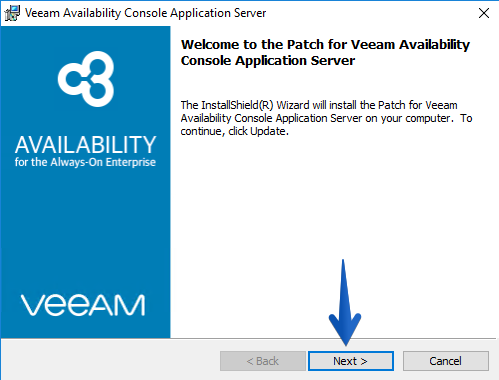
El proceso de actualización comenzará:
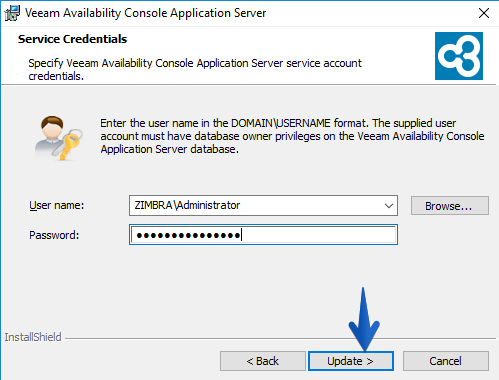
 Nos pedirá las credenciales de administrador:
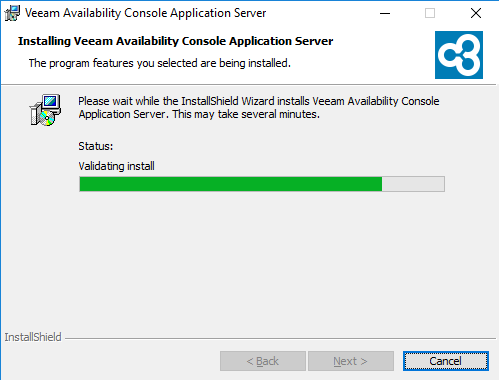
 Y el proceso tardará unos minutos en completarse:
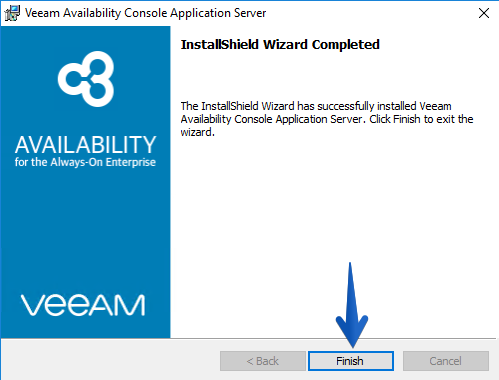
  Una vez completado, hacer click en Finish:
  Para parchear el WebUI, tendremos que aplicar lo siguiente desde PowerShell desde la ubicación donde hayamos descargado y extraido el hotfix:
msiexec /update VAC.WebUI.x64_2.0.1.1376.msp /l*v C:\ProgramData\Veeam\Setup\Temp\VACWebUISetup.txt
El proceso comenzará:
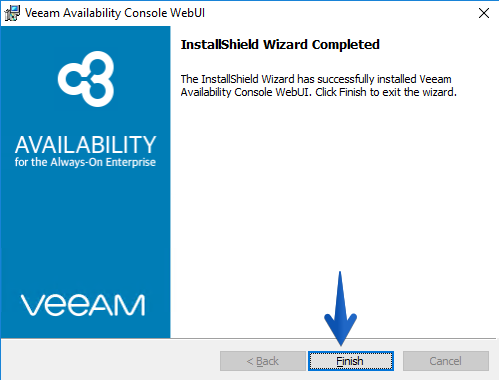
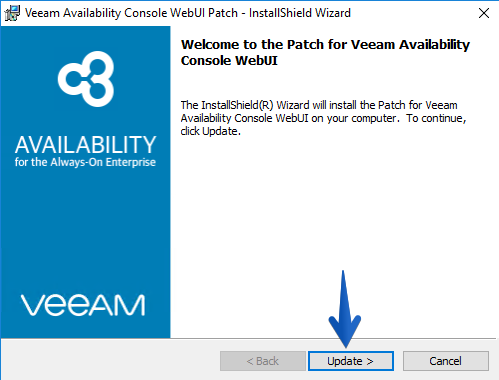 Y se completará en pocos segundos:
  Si ya nos vamos hasta nuestra Veeam Availability Console, podemos ver que en Configuration – Support Information tenemos también la versión exacta donde estamos en nuestro VAC.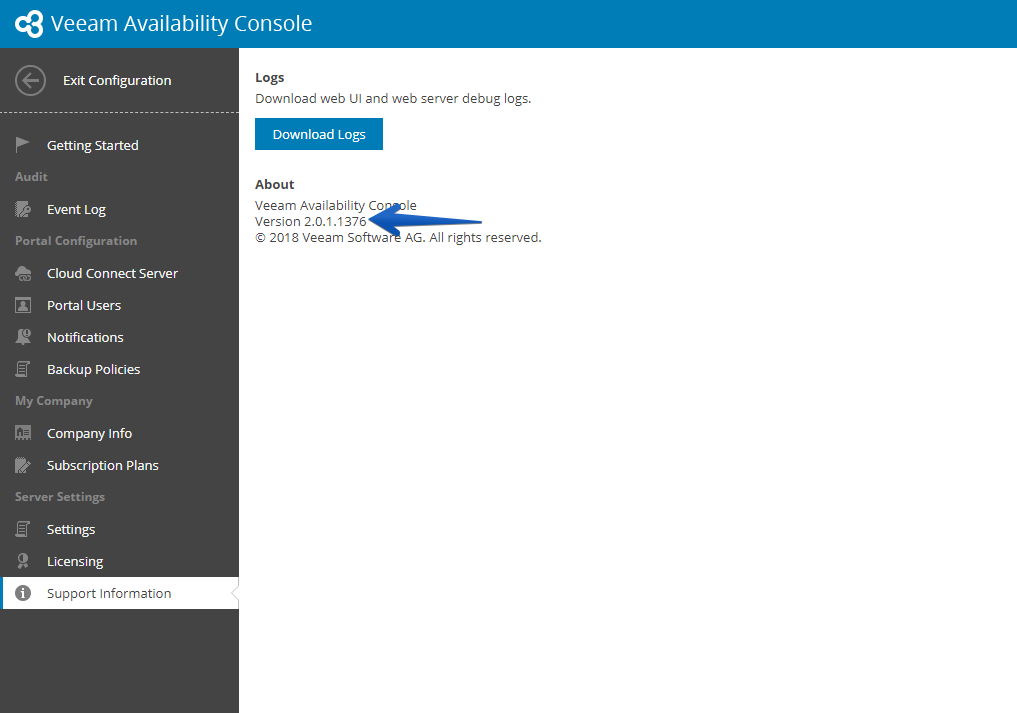
Enlaces interesantes
- Si tenéis acceso al Foro de Cloud Providers de Veeam, aquí se discute sobre este hotfix: https://forums.veeam.com/veeam-availability-console-f42/vac-known-issues-and-fixes-t47584.html
- Si no tenéis acceso al foro, este KB público tiene toda la información también: https://www.veeam.com/kb2418
Un saludo y espero que os guste.
Leave a Reply