
 Saludos amigos, Veeam anunciaba hace apenas unos días un nuevo cumulative patch para Veeam Backup for Microsoft Office 365 v4b, se trata del cumulative patch 2549 que tendremos que instalar de manera manual desde el siguiente KB.
Novedades en Veeam Backup for Microsoft Office 365 v4b Cumulative Patch v4.0.0.2549
Lo más llamativo de esta versión es que incluye varias mejoras que me gustaría dejar aquí:
- La cantidad de RAM reservada para la caché de metadatos de almacenamiento de objetos se amplía a 512 MB para reducir los costos de salida asociados a la recuperación de datos de un depósito de almacenamiento de objetos.
- Se elimina la limitación de la longitud mínima de la Clave de Acceso necesaria para añadir almacenamiento de objetos compatible con S3.
- La configuración predeterminada para aplicar la política de retención a los repositorios de almacenamiento de objetos se cambia a mensual para reducir los costos de salida.
Asegurar que tenemos Backup del servidor de Veeam Backup for Microsoft Office 365
Esto puede sonar redundante, pero yo recomiendo proteger este servidor, si es una VM entonces con un trabajo de Veeam Backup & Replication, y si es físico, protegerlo con un Veeam Agent for Windows. De tal manera que en caso de que se corrompa el server, un ransomware, o cualquier otra actualización fallida, podemos volver atrás y recuperarlo en minutos. Si tenemos todo listo vamos al siguiente paso.
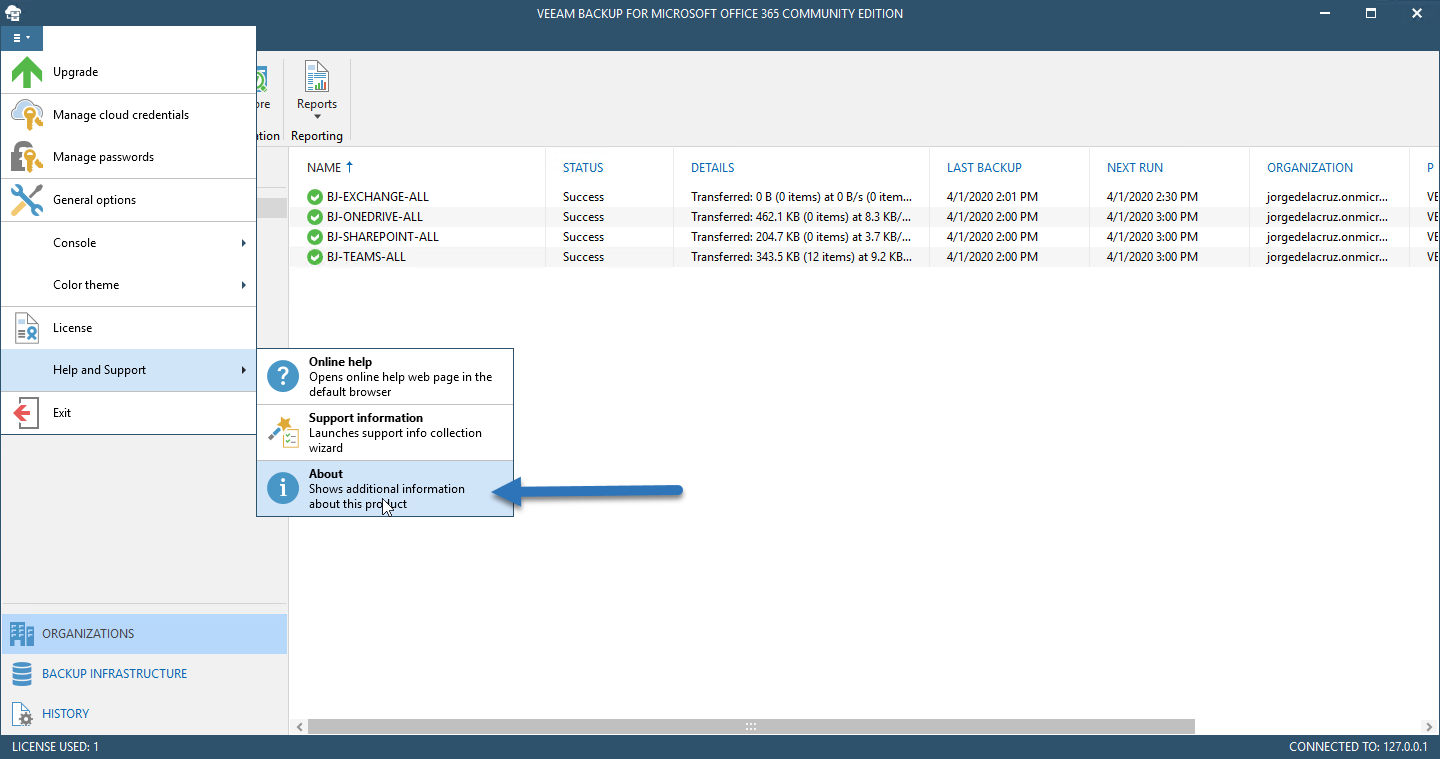
Si queremos comprobar la versión en la que estamos actualmente, nos iremos hasta el menú – Help and Support – About:
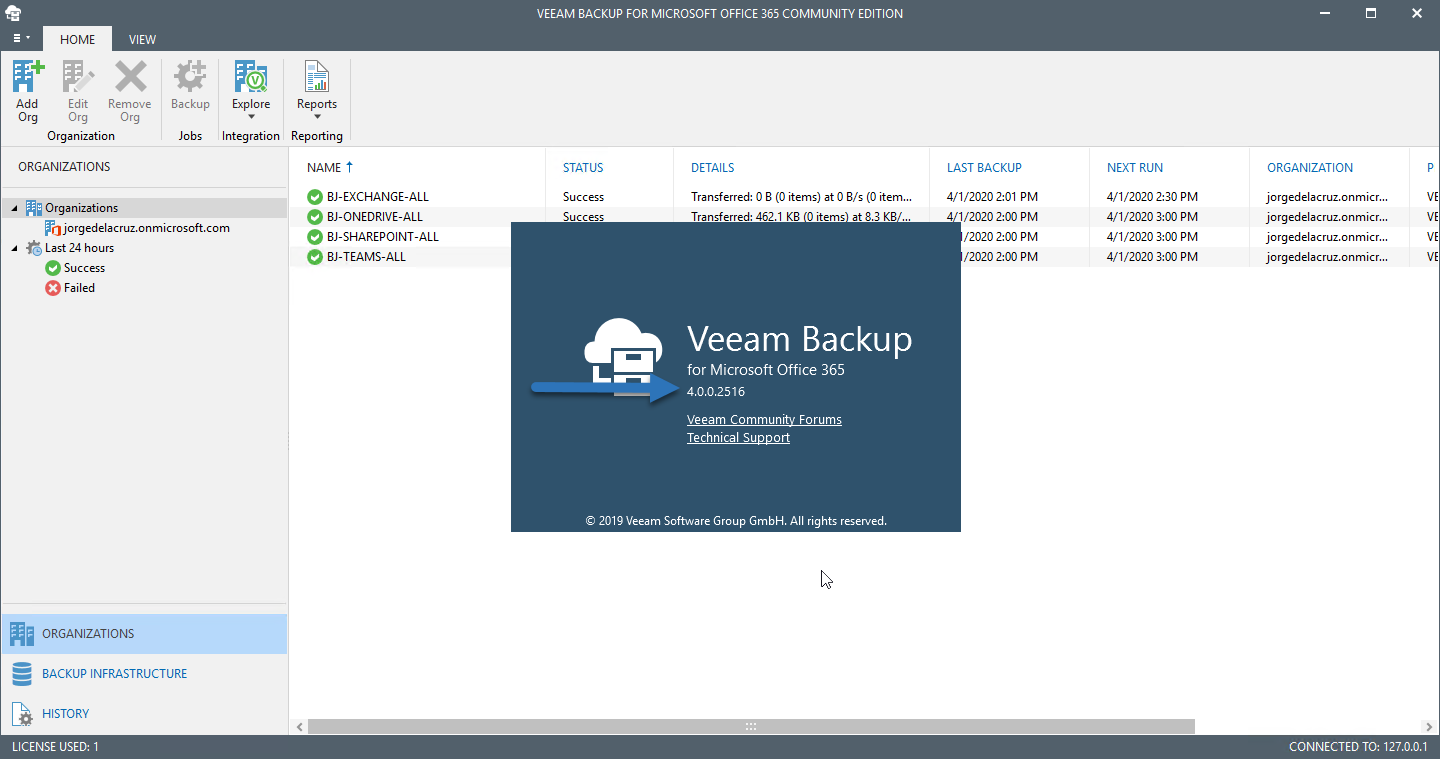
 Y seguramente tendremos algo similar a lo siguiente, si estuviéramos en v4 o v4b:
Actualizar a Veeam Backup for Microsoft Office 365 v4b Cumulative Patch v4.0.0.2549
Tendremos que descargar el paquete de actualización desde el siguiente siguiente KB. Una vez extraído veremos un pequeño paquete que se tiene que ejecutar, ¡necesita reiniciar el equipo una vez termine!
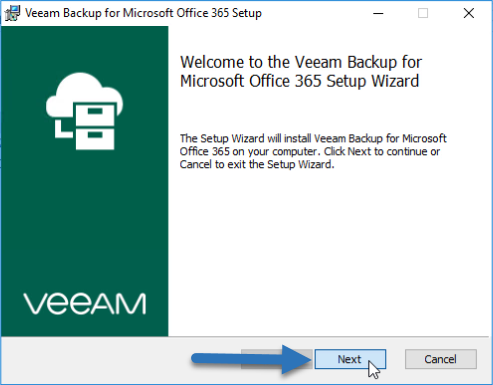
El ejecutable es muy sencillo, haremos click en Next para actualizar:
 Haremos click en Update: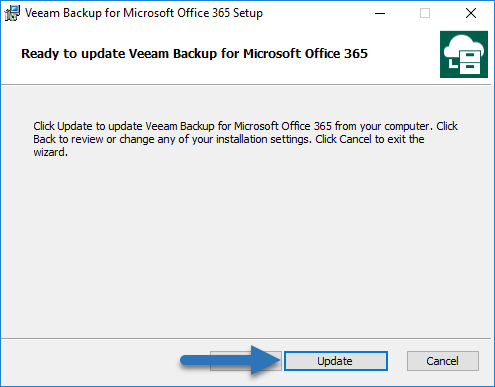
Pasados unos minutos ya podremos ver el resultado final, haremos click en Finish: 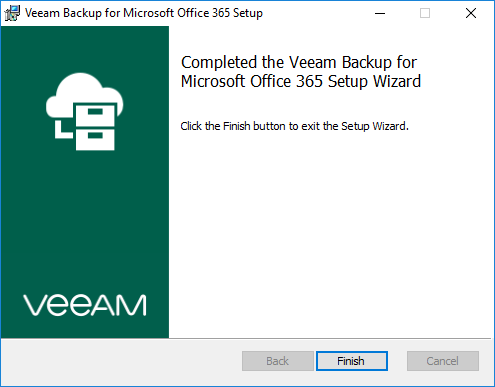
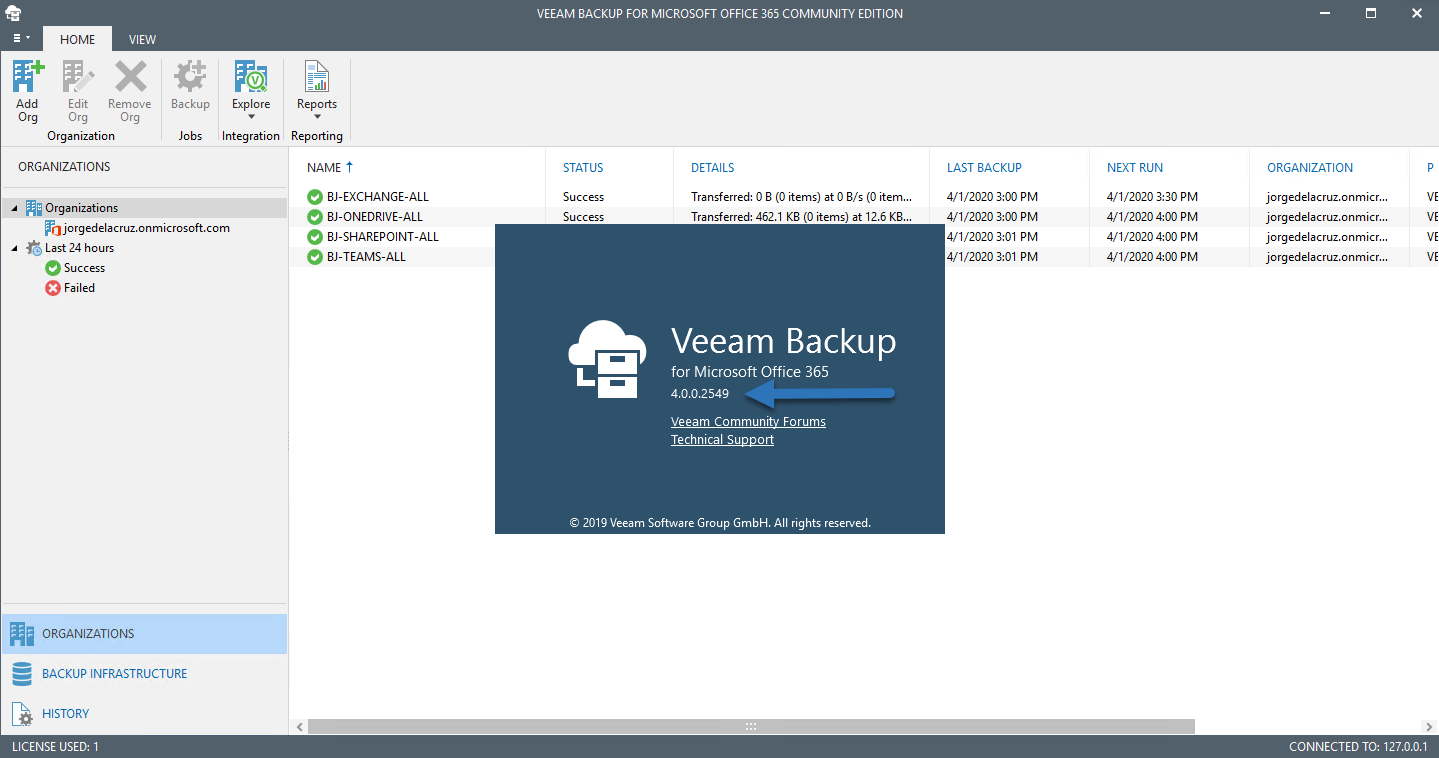
Ya si nos vamos a la Consola de Veeam Backup for Microsoft Office 365 v4b, podremos ver el número de build:
Bugs Resueltos
Además se han corregido los siguientes bugs en este Veeam Backup for Microsoft Office 365 v4b cumulative patch:
General
- Adding Office 365 organizations using U.S. Government plans fails with the “Confidential Client is not supported in Cross Cloud request” error.
- Working with Office 365 organizations using U.S. Government GCC High plans fails with the “ProtocolError – The remote server returned an error: (403) Forbidden” error.
- Incremental backup jobs processing OneNote data fails with the “File not found in the database” error.
- Email notifications on backup job completion results do not include information about users that exceeded the license count.
Object storage repositories
- Moving existing backup data from a local to an object storage repository fails with the “JetError -1011, JET_errOutOfMemory, Out of Memory” error.
- Moving existing backup data from a local to an object storage repository fails with the “JetError -1101, JET_errOutOfSessions, Out of sessions” error.
- Under certain conditions, moving existing backup data from a local to an Amazon S3 or an S3 compatible object storage repository fails with the “JetError -1605, JET_errKeyDuplicate, Illegal duplicate key” error.
- Configuring object storage consumption limit to more than 1TB in the product UI doesn’t apply these changes to the configuration database.
- Adding an S3 compatible object storage repository fails with the “Failed to request region for bucket %Bucket Name%, bucket skipped” error.
- Adding an Amazon S3 object storage repository with a bucket in the AWS GovCloud (US) region fails with the “The AWS Access Key Id you provided does not exist in our records” error.
- The amount of RAM reserved for metadata cache locally when retrieving data from an object storage repository exceeds the expected default size.
Backup
- OneDrive data backup to a repository extended with object storage fails with the “Unspecified Error”.
- Exchange data backup to a repository extended with object storage fails with the “Specified argument was out of the range of valid values. Parameter name: count” error.
- Backup to object storage repository fails with the “JetError -1069, JET_errVersionStoreOutOfMemory, Version store out of memory” error.
- Backup to a repository extended with object storage fails with the “JetError -1311, JET_errTooManyOpenTables” error.
Restore
- When exploring backup jobs configured with exclusions, Veeam Explorer for Microsoft SharePoint fails with the “Some backup data is not available” error.
- Restore of OneDrive accounts which URLs have been changed after the backup job run fails with the “A file or folder with the name %path% already exists” error.
- Export to PST fails with “Unable to read beyond the end of the stream”.
REST API
- The “GET v4/Organizations/{organizationId}/Groups/{groupId}” resource doesn’t return the “managedBy” parameter.
PowerShell
- Under certain conditions, execution of the Get-VBOUsageData PowerShell cmdlet fails with the “Specified cast is not valid” error.
Eso es todo amigos, os dejo más entradas sobre Veeam Backup for Microsoft Office 365 que os pueden ser útiles:
- Veeam: Cómo migrar nuestros Backups de Veeam Backup for Microsoft Office 365 hacía un nuevo Backup Repository con Object Storage
- En busca del Dashboard perfecto: InfluxDB, Telegraf y Grafana – Parte XIII – Veeam Backup for Microsoft Office 365 v4
- Veeam: Novedades en Veeam Backup for Microsoft Office 365 v4
- Veeam: Seis Novedades en Veeam Backup for Microsoft Office 365 v4 – Beta
- Veeam: Vistazo profundo a las Novedades en la RESTful API de Veeam Backup for Microsoft Office 365 v4 – Beta
- Veeam: Beta de Veeam Backup for Microsoft Office 365 v4 – Configuración de Veeam Backup Repository Object Storage conectado a FreeNAS (MinIO)
- En busca del Dashboard perfecto: InfluxDB, Telegraf y Grafana – Parte XVI – Rendimiento y seguridad avanzada de Veeam Backup for Microsoft Office 365
Leave a Reply